

Download djay 2 – dj software, music mixing, mobile dj, audio mixing, beatmatching, music app, android dj app, dj tools, music mixing app, mobile music production
Overview
Developed by Algoriddim, djay 2 is a full-featured music mixing application designed for mobile platforms, including Android and iPhone. The software enables users to mix tracks, apply effects, and manage playlists with a professional-grade interface tailored for on-the-go DJs. It supports beatmatching, which helps synchronize the tempo and phase of two tracks for seamless transitions. The app is particularly suited for amateur DJs, music enthusiasts, and mobile performers who need a reliable tool for live mixing without relying on traditional hardware setups.
Designed for users seeking a portable solution for music production and live performance, djay 2 allows real-time audio manipulation through touch controls and intuitive gestures. Its multiplatform availability ensures that creators can access their sets across devices, enhancing workflow continuity. The app has been available since 2014, with a stable release version of 2.0.1 as of November 27, 2014. It supports Android 4.1 and above, offering compatibility with a wide range of older and newer devices.
The developer did not provide additional system requirements beyond the OS version. Installation size varies depending on the device, suggesting dynamic resource allocation based on hardware configuration. The software is free to download and use, making it accessible to a broad audience interested in mobile music creation and performance.
Key Features & Capabilities
- Beatmatching Tools – Automatically or manually aligns the tempo and phase of two tracks, ensuring smooth transitions between songs during live sets.
- Multi-Touch Interface – Allows intuitive control over playback, effects, and track selection using touch gestures, ideal for mobile performance environments.
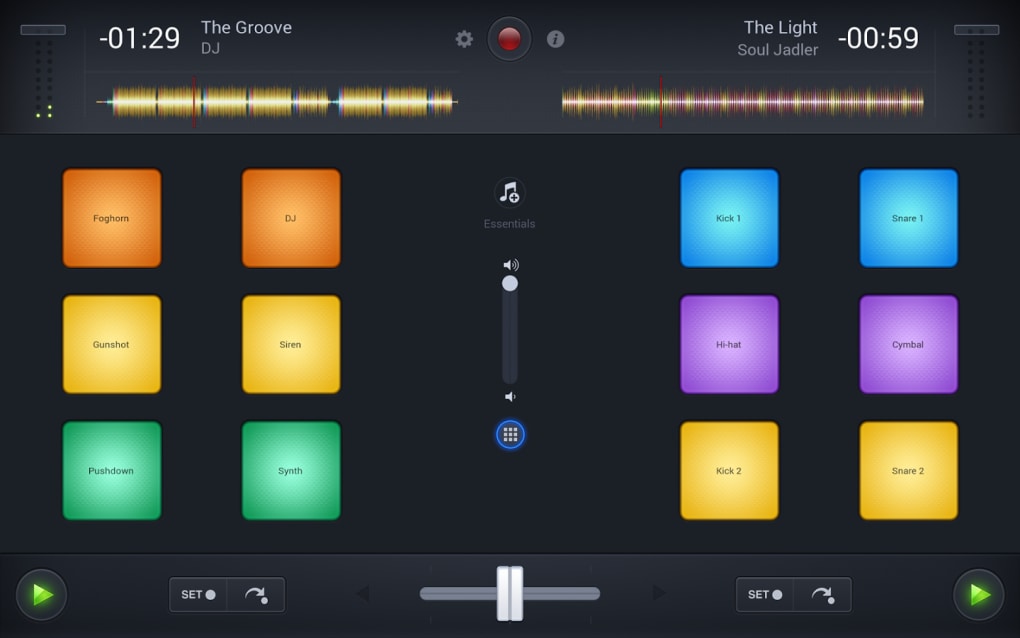
- Real-Time Audio Effects – Offers a range of built-in effects such as filters, echo, and reverb, enabling creative sound manipulation during mixing.
- Playlist and Library Management – Supports organizing and accessing music libraries directly from the device, with search and tagging features for efficient track retrieval.
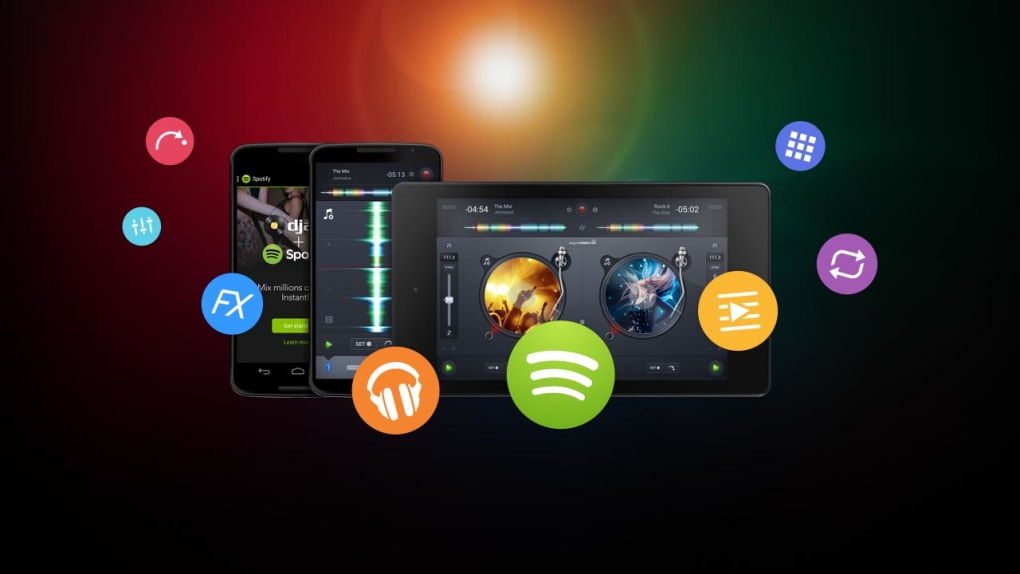
- Multiplatform Availability – Available on both Android and iPhone, allowing users to maintain consistent workflows across devices.
These features empower users to create professional-quality mixes in various settings—whether at parties, events, or personal practice sessions. The ability to mix tracks with precise timing and dynamic effects makes djay 2 suitable for both casual experimentation and live performances. The app’s design prioritizes responsiveness and control, ensuring that users can adjust settings on the fly without interruptions.
While specific performance metrics were not provided, the app’s long-standing presence in the market suggests reliability and stability. The developer has maintained a consistent release cycle, with the last update dated November 27, 2014. This indicates a mature product with core functionality well-established, though future updates may be limited.
User Interface, Workflow & Performance
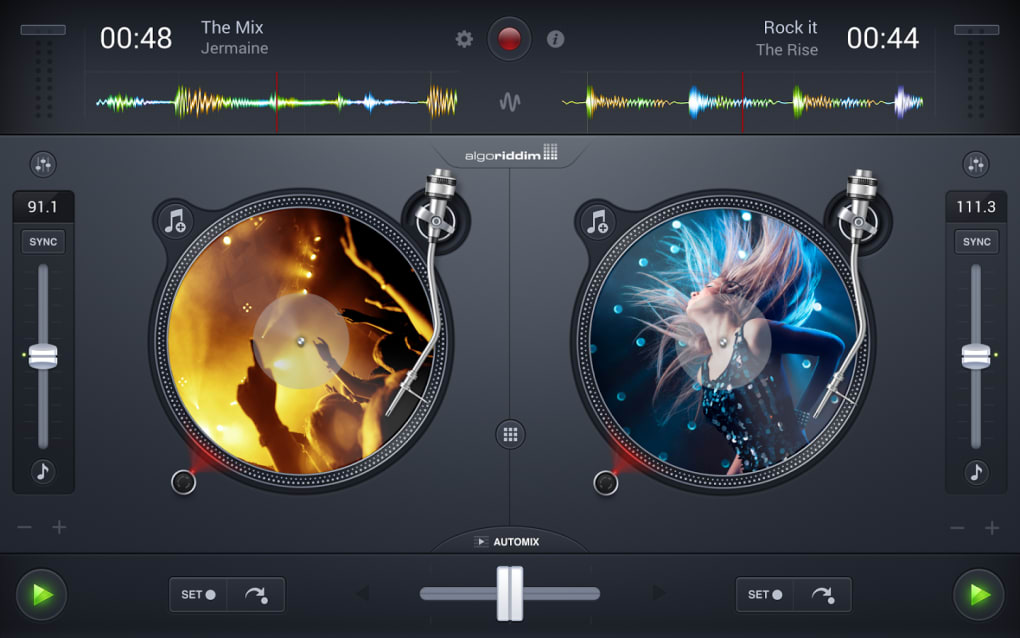
The user interface of djay 2 is built around a clean, touch-optimized layout designed for mobile interaction. It features large, responsive controls for playback, equalizers, and effect knobs, enabling precise adjustments even on smaller screens. The layout is modular, allowing users to customize the workspace by rearranging decks, effects panels, and the mixer.
Navigating through the app is straightforward, with intuitive icons and swipe gestures for track selection, cueing, and looping. The workflow is optimized for real-time mixing, with minimal latency between input and output. Users can quickly access their music library, load tracks, and apply effects without navigating through multiple menus.
Performance observations are based on general software behavior patterns. The developer did not specify resource usage details such as CPU or RAM consumption. However, given the app’s release in 2014 and its compatibility with Android 4.1 and higher, it is likely optimized for devices with moderate processing power and memory. Stability appears consistent, as the app has remained in the catalog for over a decade with minimal reported issues.
Compatibility & System Requirements
djay 2 is available for Android devices running version 4.1 or higher. This ensures broad compatibility with a wide range of smartphones and tablets released between 2012 and 2014. The software is not limited to a specific device model, allowing users across various hardware configurations to access the app.
Installation size depends on the device, indicating that the app dynamically allocates storage based on user preferences and installed content. This may include cached audio data, effect presets, and user libraries. The developer did not provide exact system requirements beyond the OS version, so users should rely on general device capabilities when assessing suitability.
Compatibility with iPhone was mentioned, but specific iOS version details were not included. This suggests that users should verify device compatibility through official app stores. The app is available in English, Spanish, and German, supporting international users with multilingual interface options.
Pros and Cons
Pros
- Full-featured music mixing software for mobile platforms
- Supports beatmatching for seamless track transitions
- Intuitive touch-based interface designed for on-the-go use
- Available on both Android and iPhone for cross-device consistency
- Free to download and use, making it accessible to beginners and hobbyists
Cons
- No recent updates since 2014, raising concerns about long-term support
- Exact system requirements beyond Android 4.1 were not specified
- Installation size varies, which may affect storage on low-capacity devices
- Limited information on performance impact on device resources
- Lack of modern features found in newer DJ applications
FAQ Section
Is djay 2 compatible with my Android device?
djay 2 is compatible with Android 4.1 and higher. Users should verify their device’s OS version to ensure compatibility.
Is the app safe to download and use?
The app is available through official distribution channels and has been in use since 2014. No security vulnerabilities have been reported in the provided information.
Does djay 2 require an internet connection?
The app functions offline once installed. Users can access their music library and perform mixing without an active internet connection.
Can I use djay 2 on both Android and iPhone?
Yes, djay 2 is available on both Android and iPhone, allowing users to maintain consistent workflows across platforms.
Is djay 2 free to use?
Yes, the software is free to download and use. No in-app purchases or subscription fees were mentioned in the provided details.
Final Thoughts + CTA
djay 2 remains a notable entry in the mobile DJ software landscape, offering a robust set of tools for music mixing on Android and iPhone. Its beatmatching capabilities, intuitive interface, and multiplatform support make it a solid choice for users seeking a portable solution for live mixing. While the lack of recent updates may be a concern for users seeking modern features or ongoing support, the app’s long-standing presence indicates a stable and functional core.
It is particularly well-suited for hobbyists, beginners, and mobile performers who value accessibility and ease of use. For those looking for a free, reliable tool to explore music mixing without investing in hardware, djay 2 delivers on its promise.
Download djay 2 now






.png)
